

ClockworkPDF Initial Release

ClockworkPDF is a free desktop utility for handling common PDF tasks such as merging documents, splitting pages, rotating pages, mixing files, and extracting content.

Designed to keep everyday PDF workflows simple, ClockworkPDF provides the essential tools needed to organize and modify PDF documents without the complexity of larger PDF suites.
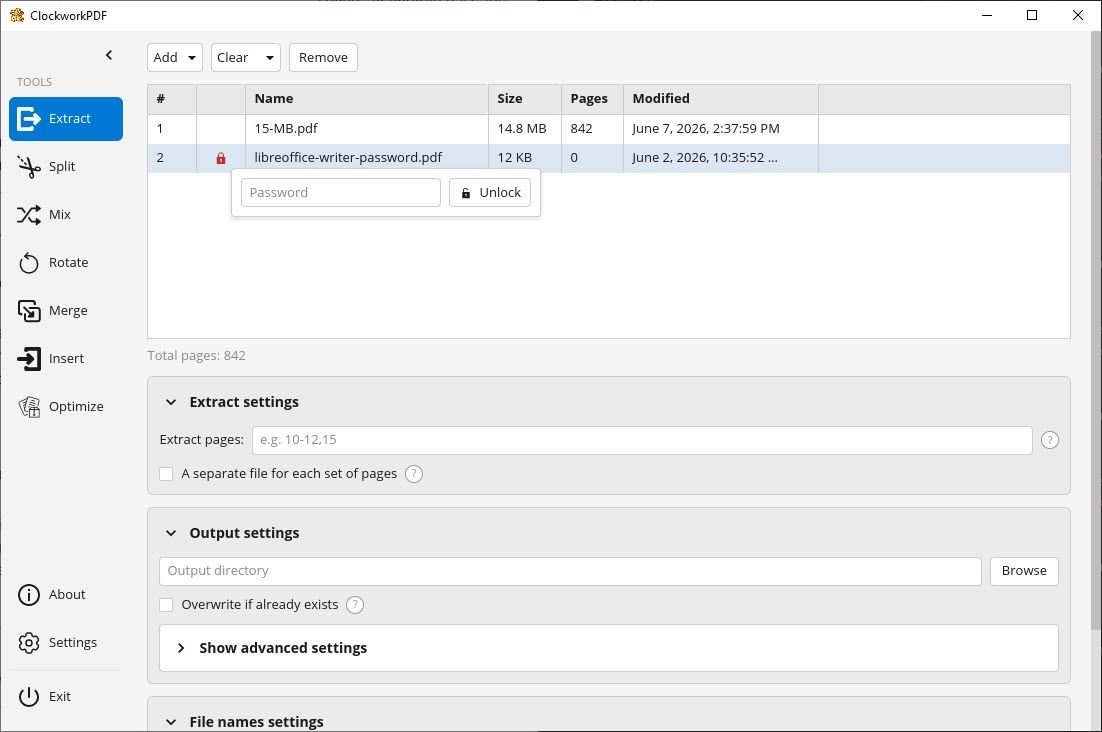
clockworkpdf-screenshot

This initial release focuses on the core features, with additional improvements and functionality planned for future updates.
https://software.mechanikadesign.com/software/clockworkpdf

ColorSnatch Release 1.3.0


What’s new in 1.3.0

Added:

  • WCAG color contrast checker
  • Save/load colors to and from Paint.NET, GIMP, Adobe, Microsoft RIFF, Procreate, Affinity palette formats

Changed:

  • Load and keep color dictionary in memory on app startup
  • Significantly improved performance of Auto Rename all Colors
  • Application windows excluded from color capture

Fixed:

  • andom crashes when changing zoom level
  • Rename button clearing text field
  • Screen freeze behavior
Download the latest version Visit the ColorSnatch download page

DiskAtlas Initial Release

Today marks the initial release of DiskAtlas, a powerful disk space analyzer designed to help you quickly discover what is taking up space on your drives.

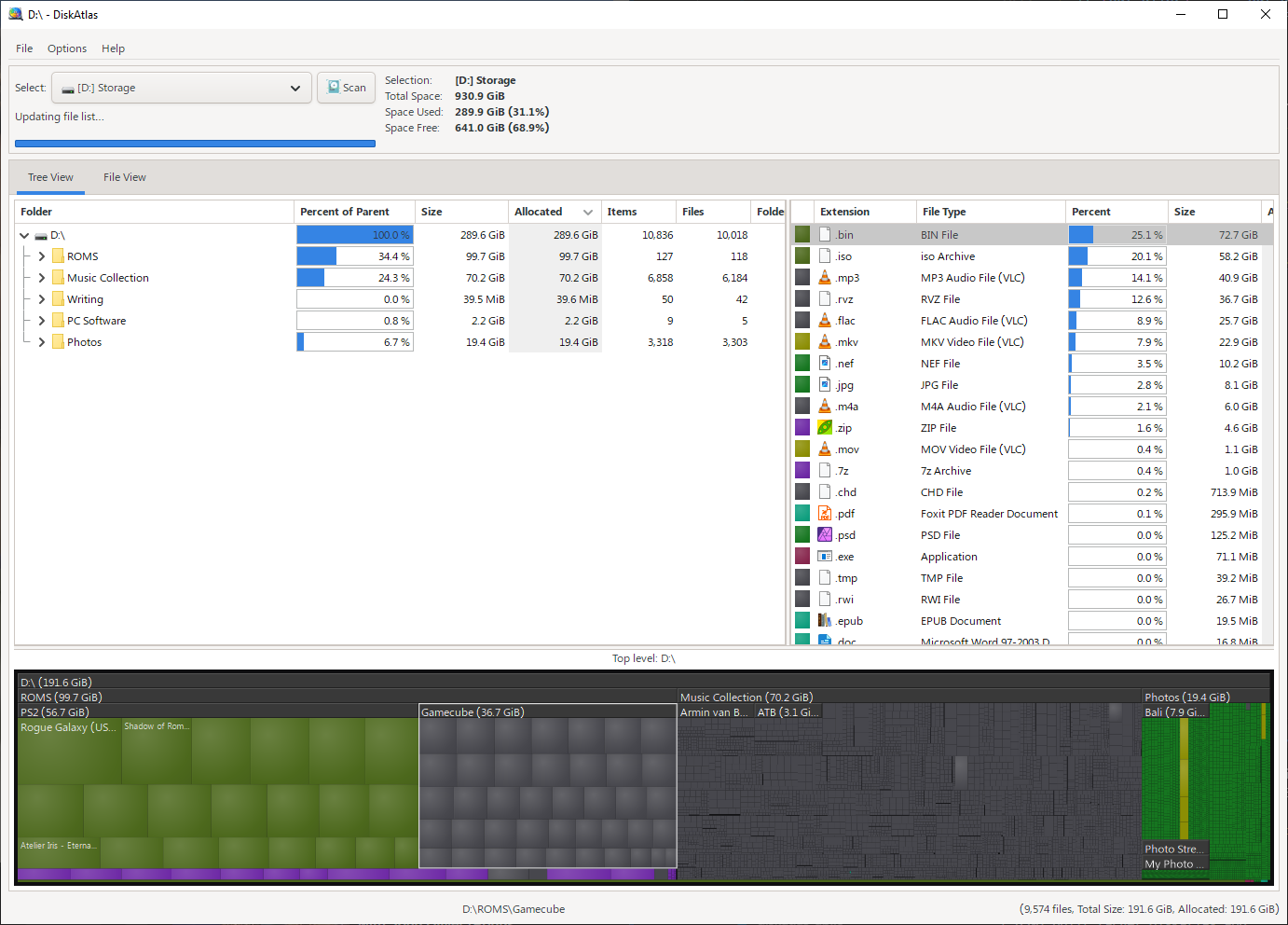
DiskAtlas combines a fast scanning engine with an intuitive visual treemap interface, making it easy to explore large folders, identify space-hogging files, and understand your storage usage at a glance.

Built with performance and portability in mind, DiskAtlas is designed to provide fast results while keeping the experience simple and lightweight. Whether you’re cleaning up an overloaded drive, finding forgotten files, or managing storage on large disks, DiskAtlas gives you the tools to explore your data more efficiently.

diskatlas-screenshot

This is the first release, and development will continue with new features, improvements, and refinements based on user feedback.

https://software.mechanikadesign.com/software/diskatlas

Secure Synchronization using SSH

Allows you to synchronize a directory over a secure shell connection. It also has functionality to allow you to run commands remotely, all without leaving the comfort of your local machine.

Installation

    1. Ensure Python 3 and pip are installed.
    2. Install with the following command
    pip install -r requirements.txt
    3. Run with python secure-sync.py

Usage

See secure-sync.py --help for help with parameters.

Running Commands Remotely

You can run arbitrary commands on the remote machine by populating your local directory (created by secure-sync) with a .command file. secure-sync will recognize this file and will cd to the equivalent directory on the remote machine and execute the commands in this file line by line, piping their output to your local machine.

Download

secure-sync.zip 11/04/2017 7 Kb

Dropbox Folder Restoration using Python

Restores any dropbox folder to a previous state. If a file did not exist at the specified time, it will be deleted. Handles unicode parameter input and processing of subfolders.

Example

To restore the folder /photos/tokyo to the way it was on March 7th, 2016: python dropbox-restore.py /photos/tokyo 2016-03-07

Note: the path /photos/tokyo should be relative to your Dropbox folder; it should not include the path to the Dropbox folder on your hard drive. You will be prompted to confirm access to your Dropbox account through your web browser.

Installation

    1. Ensure Python 3.4 or higher and pip are installed.
    2. Install Dropbox Python API with the following command
    pip install dropbox
    3. Download dropbox-restore.py

Additional Notes

If you wish to modify the source code, you must obtain your own API keys from Dropbox and insert them into the APP_KEY and APP_SECRET fields.

Specifying a time is not officially supported because the time zone is ignored currently. However, it seems like Dropbox always uses UTC, so you can try specifying UTC times at your own risk by specifying the date and time in the format YYYY-MM-DD-HH-MM-SS on the command line. Be warned that Dropbox’s documentation does not guarantee that they will always use UTC, so this can break at any time.

Download

dropbox-restore.py 03/07/2016 5.5 Kb